
Download XDriller – puzzle game, Tux, Linux, brick breaker, casual game, Android app, fun game, mobile game, free puzzle app, customizable maps, game modes
Overview
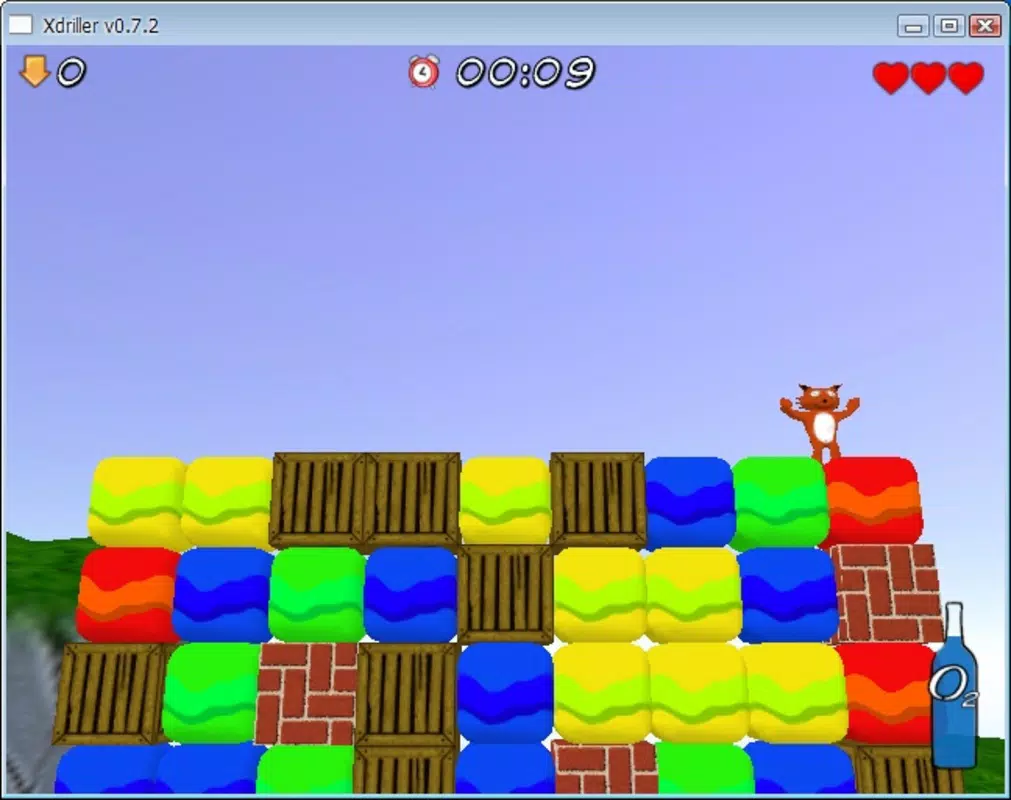
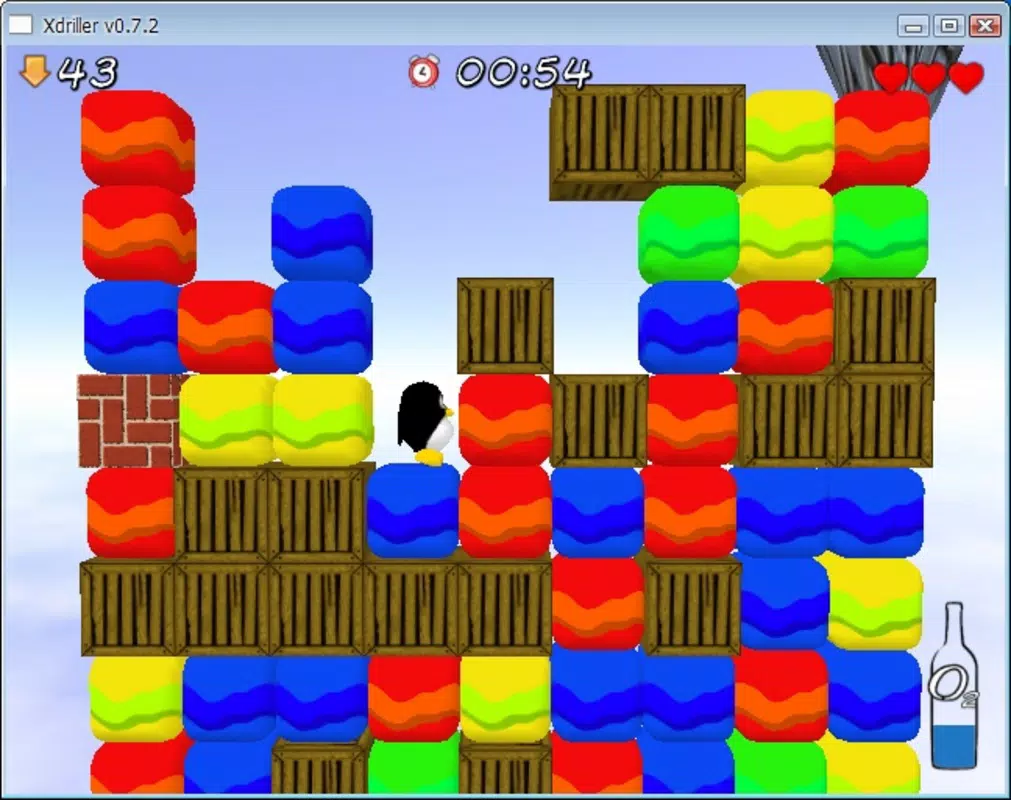
XDriller is a mobile puzzle game that blends classic brick-breaking mechanics with a unique thematic identity rooted in the Linux community. Designed for casual gamers and fans of open-source culture, the app offers a lightweight yet engaging experience centered around strategic gameplay. Players take on the role of either Tux, the beloved Linux mascot, or a fox character, navigating through destructible brick layouts while avoiding falling blocks that threaten their progress. The core challenge lies in precision timing and spatial awareness, making it both a mental and reflexive exercise.
Target users include individuals seeking short, entertaining breaks during the day, puzzle enthusiasts, and those with a fondness for Linux-themed content. The game’s ability to generate levels from PNG images introduces a layer of personalization, encouraging users to create and share custom puzzles. This feature enhances replayability and fosters community-driven content, even if no official sharing system is mentioned. While the developer did not provide additional technical details, the app’s release in 2010 suggests it was built with early Android development standards in mind, making it a nostalgic choice for retro gaming fans.
Within the puzzle game ecosystem, XDriller stands out for its thematic consistency and creative level design. It serves as a niche utility that delivers fun through simplicity, offering a refreshing alternative to more graphically intensive titles. Its free availability further broadens its accessibility, making it a valuable tool for those who appreciate low-barrier entertainment with a distinct identity.
Key Features & Functionality
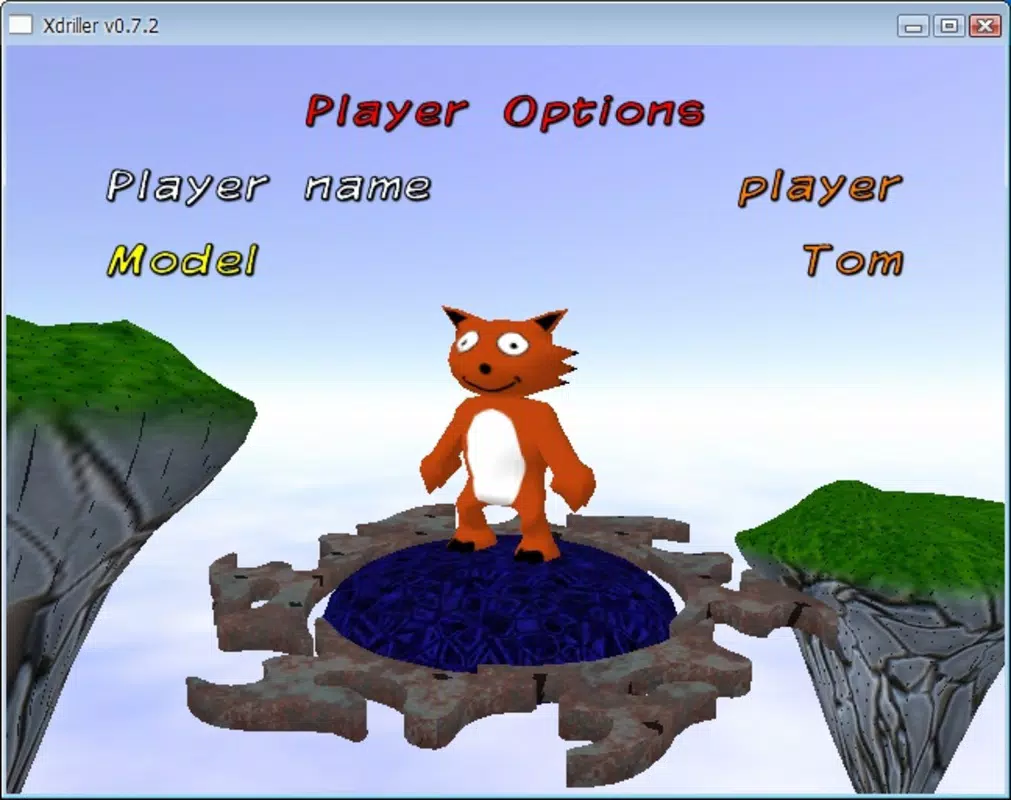
- Character Choice: Players can choose between Tux, the Linux mascot, and a fox character. This selection allows for personal expression and emotional connection, particularly appealing to fans of open-source software and Linux culture.
- Customizable Maps: Levels are generated from PNG image files, enabling users to design their own puzzles. This feature supports creative experimentation and allows for infinite variations in gameplay, turning the app into a dynamic tool for puzzle creation.
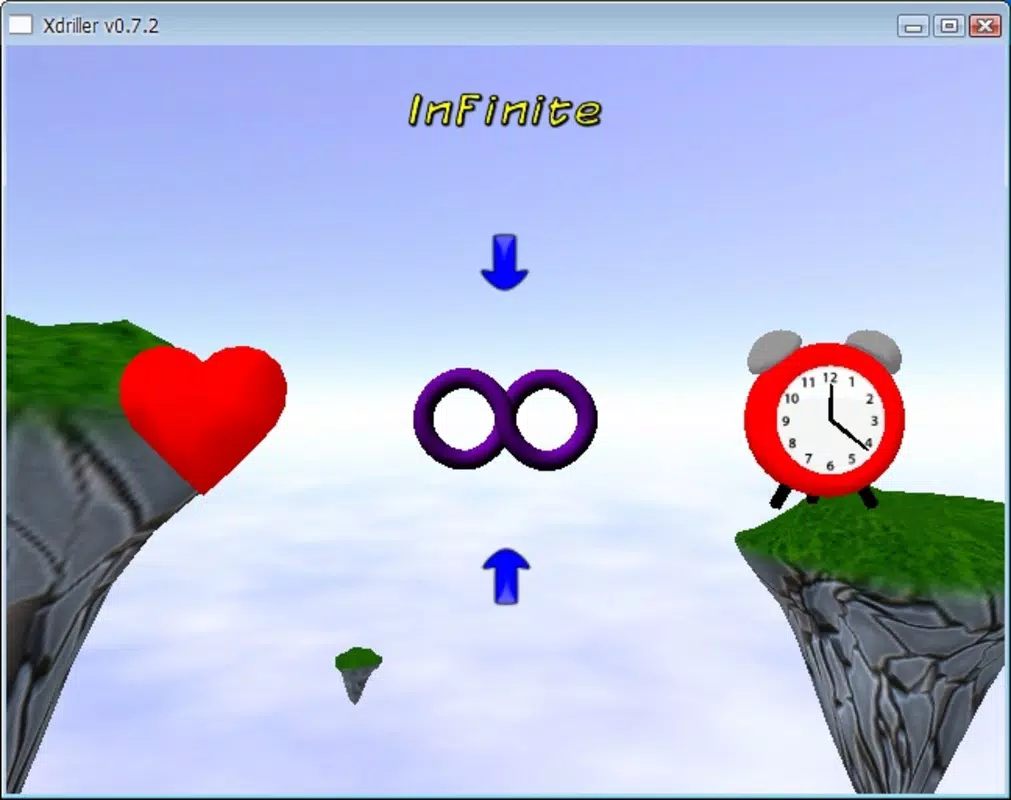
- Multiple Game Modes: The game includes three distinct modes: adventure, limited time, and infinite time. Each mode caters to different playstyles—adventure for structured progression, limited time for challenge under pressure, and infinite time for relaxed, open-ended play.
- Engaging Puzzle Mechanics: The core gameplay revolves around breaking bricks while avoiding falling blocks. Success requires careful planning and quick reflexes, blending strategy with real-time decision-making to maintain momentum.
- Fun and Accessible Design: With straightforward mechanics and a minimal learning curve, XDriller is suitable for players of all ages and skill levels. Its casual nature makes it ideal for short sessions, fitting seamlessly into daily routines.
For example, a user might create a custom map shaped like a Linux logo using a PNG file, then challenge themselves in limited time mode. Another player could use the adventure mode to experience a curated sequence of levels, building skills over time. These use cases demonstrate how the app balances creativity with structured gameplay, delivering consistent entertainment across different user profiles.
Interface, UX & Performance
The user interface of XDriller appears to follow a minimalist design philosophy, focusing on gameplay clarity over visual embellishment. The layout likely centers around a central playfield with character controls and game status indicators, optimized for touch-based interaction. Navigation is expected to be intuitive, relying on swipe or tap gestures to guide the character through the level.
Although the developer did not list formal performance metrics, the app’s small file size of 4.2 MB suggests it is optimized for older or lower-end Android devices. This makes it a practical choice for users with limited storage or older hardware. The game is expected to run smoothly on a range of device categories, from entry-level smartphones to mid-tier models, though specific compatibility details were not disclosed.
Responsiveness and stability are likely maintained through simple code architecture, consistent with the app’s release date in 2010. Users can expect minimal lag during gameplay, particularly in standard modes. However, performance on newer Android versions may vary, as no official updates or compatibility notes were provided. Overall, the app delivers a stable and predictable experience, well-suited for casual play without demanding high system resources.
Platform Compatibility & Technical Requirements
XDriller is available exclusively on the Android platform. The current version is 1.0.3, released on February 23, 2010. The app has a file size of 4.2 MB, making it highly portable and easy to download on devices with limited storage.
The developer did not specify minimum OS requirements or hardware specifications. As such, compatibility with modern Android versions cannot be confirmed. Users should exercise caution when installing on newer devices, as older apps may not function properly due to API changes or security restrictions. The lack of updated release notes or maintenance information suggests the app is no longer actively developed.
Pros and Cons
- Free to download and use with no in-app purchases
- Unique theme centered around Tux and Linux culture
- Customizable maps via PNG images enable creative level design
- Multiple game modes cater to different play preferences
- Lightweight size (4.2 MB) ensures easy installation on older devices
- No recent updates since 2010; potential compatibility issues on modern Android systems
- Developer did not provide technical specifications or system requirements
- Limited visual or audio feedback; likely minimal sound and graphics
- No official community or sharing platform for user-created maps
- Basic interface may feel outdated to newer users
FAQ
Is XDriller safe to download on Android?
Yes, XDriller is a free Android app with no reported security risks. Its small size and straightforward functionality suggest it does not require excessive permissions. However, users should only download from trusted sources to ensure authenticity.
Can I create my own levels in XDriller?
Yes, the game supports custom maps generated from PNG image files. This allows users to design and import their own puzzle layouts, adding a personal and creative dimension to gameplay.
Is XDriller compatible with newer Android devices?
Compatibility with modern Android versions is uncertain. The app was last updated in 2010, and no official information about updated support was provided. Users may encounter issues on newer devices due to outdated code or API incompatibilities.
Does XDriller require internet access?
Based on its design and functionality, XDriller likely operates offline. No network connectivity is required for gameplay, making it ideal for use in areas with limited or no internet access.
How do I install XDriller on my Android phone?
To install XDriller, download the APK file from a trusted source, enable "Install from unknown sources" in your device settings, and proceed with the installation. The app is free and does not require a subscription or payment.
Final Thoughts
XDriller remains a distinctive entry in the mobile puzzle genre, offering a nostalgic and thematically rich experience for fans of Linux and retro gaming. Its combination of customizable maps, multiple game modes, and a charming character selection creates a surprisingly deep experience despite its minimalistic design. While the lack of updates and potential compatibility challenges on modern devices are notable drawbacks, the app’s lightweight nature and free status make it a worthwhile download for those seeking a simple, creative challenge.
It’s especially valuable for users interested in open-source culture, puzzle enthusiasts looking for low-key entertainment, and collectors of vintage Android apps. For casual gamers who appreciate clever mechanics and a personal touch, XDriller delivers consistent fun with minimal overhead.
Download XDriller now


